
Overview
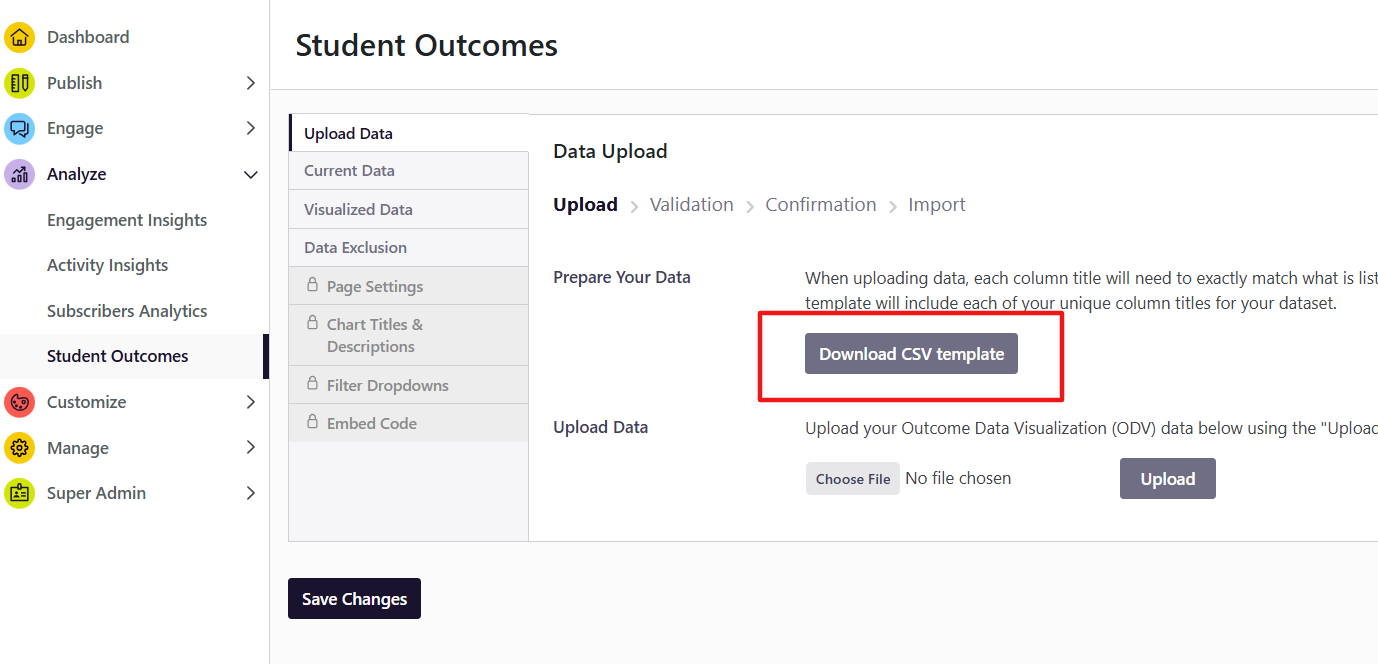
Your outcomes data upload template, found under the “Upload Data” tab in "Analyze" by clicking “Download CSV Template,” now includes two new optional columns: User ID and User Email. These fields have been added to both the undergraduate/First Destination and MBA/Specialty Master's templates.
This article explains what these fields are, how they are protected, why we strongly encourage you to include them, and what to expect.
|
ℹ️ What Changed Previous versions of the template did not include designated columns for student identifiers. If you submitted outcomes data before as an ODV user, you may have been asked to remove personally identifiable information before uploading. That guidance has changed. The template now includes two designated, protected fields — User ID and User Email. Including them is optional, but strongly encouraged. Student names and other freeform identifier columns should still not be included in your file. |
What Are These Fields?
User ID refers to your institution's internal student identifier — typically the same ID used in your Student Information System (SIS) or your platform's SSO configuration.
User Email refers to the student's institutional email address.
Both fields correspond to identifiers your institution likely already has in your outcomes data, making them straightforward to include without additional data work.
Are These Fields Required?
No. Both fields are optional. Your file will upload successfully without them.
That said, we strongly encourage you to include them — here is why.
Why We Encourage You to Include This Data
Including User ID and User Email in your outcomes upload enables uConnect to match each student's outcomes record to their platform account. This connection is foundational to an upcoming feature: Engagement Score.
When Engagement Score launches, institutions will be able to see how individual students engage with career services content on their VCC — and, for students whose outcomes data is on file, connect that engagement to real post-graduation outcomes. This means your institution can begin to answer questions like: Did the students who engaged most with career services content achieve better outcomes?
That is a powerful story — and it starts with having your outcomes data linked to student records now.
How Is This Data Protected?
We understand that sharing student identifiers requires trust, and we want to be transparent about how these fields are handled.
- These fields are never visible to students or platform visitors. User ID and User Email are protected fields that will never appear in filters, search results, AI Search responses, or any public-facing area of your platform.
- They are never surfaced in any visualization or export accessible to end users.
- The platform includes backend logic designed to catch identifier-like data even if it appears in non-standard column formats, helping prevent accidental exposure.
- Your data is processed in compliance with uConnect's SOC 2 security standards and is never shared across institutions.
|
📌 Please Note The protected status applies specifically to the designated User ID and User Email template columns. Student names and other freeform identifier columns should not be included in your upload file. |
How to Include These Fields
- Download your updated template from Analyze > Student Outcomes > Upload Data.
- In your outcomes data file, locate your student identifier column (often labeled User ID, SIS ID, or similar in your institutional records) and copy that data into the User ID column in the template.
- Add the corresponding institutional email addresses to the User Email column.
- Proceed with your upload as normal. These columns are validated as protected fields during the upload process.
|
📌 Please Note The User ID you include should match the identifier used in your platform's SSO configuration. If you are unsure which ID format your platform uses, contact our support team before uploading. |
Frequently Asked Questions
We have never shared student data with uConnect before. Is this safe?
Yes. User ID and User Email are processed solely to match outcomes records to student platform accounts. They are never exposed publicly, never used for marketing, and never shared across institutions. uConnect maintains SOC 2 compliance with rigorous data governance practices.
What if we do not have SSO set up? Should we still include these fields?
If your institution has not yet set up SSO, the matching functionality will not be active — but including the fields now means you will be ready when you do. Please read these instructions to learn about how to set up SSO on your platform.
What happens if our User IDs do not match the format the platform uses?
Non-matching IDs are handled gracefully — your upload will not fail because of a mismatch. However, unmatched records will not be linked to student accounts, which limits the value of the Engagement Score connection. Reach out to our support team if you are unsure about ID format alignment.
Will this affect how our outcomes data appears in AI Search?
No. User ID and User Email are never used in AI Search responses. Those responses are built from aggregate, anonymized data only.