
uConnect email branding lets you customize the visual appearance of your institution's emails — including colors, fonts, header images, and footers. All branding changes are made by the uConnect team on your behalf. Submit a support request to get started, and the uConnect team will apply your selected changes.
What Parts of a uConnect Email Can Be Branded?
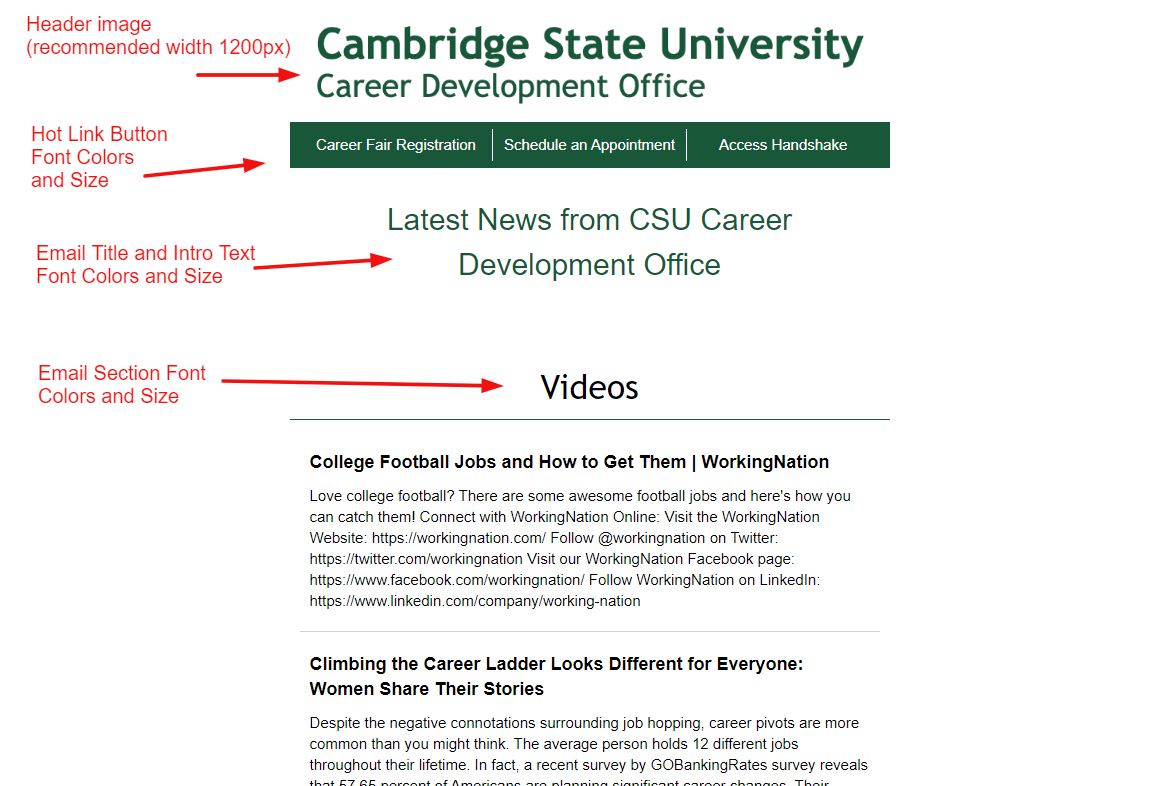
Header image
Hot Link buttons: font colors and size
Email title and intro text: font colors and size
Section titles: font colors and size
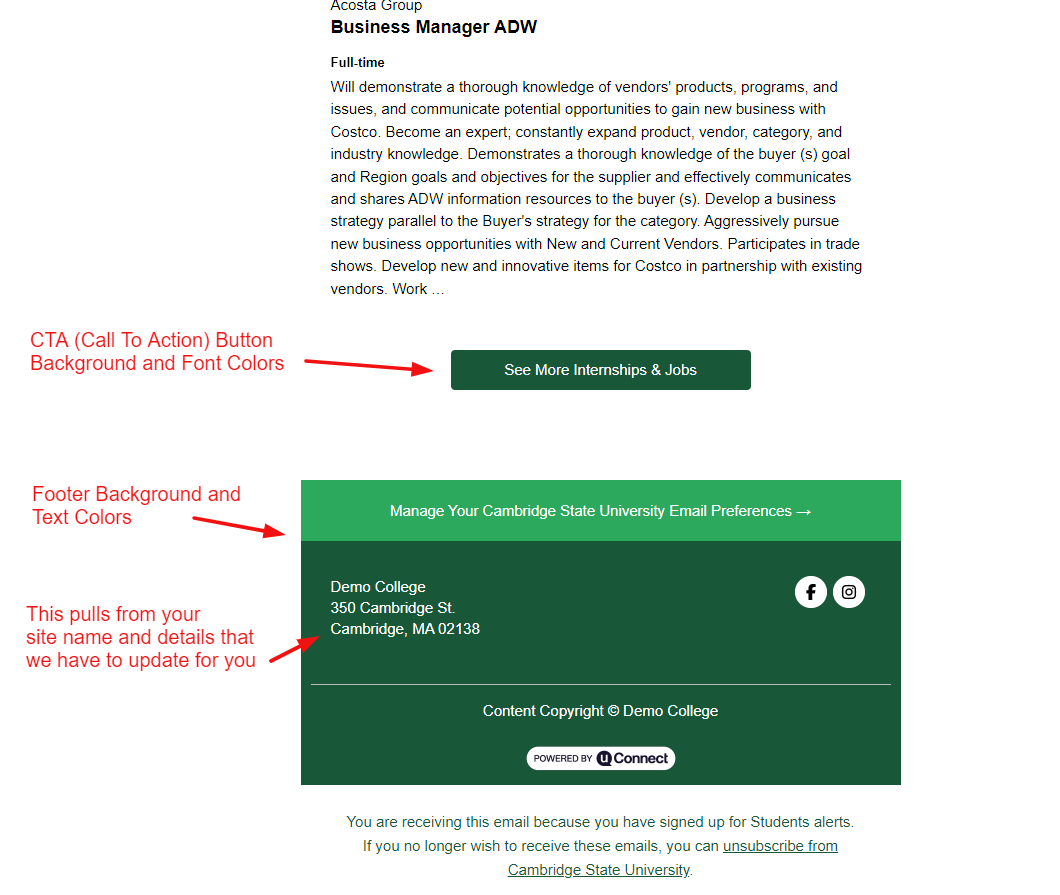
Button background and text colors
Footer: background, text, CTA, and footnote colors
Top Portion of uConnect Email Branding
Bottom Portion of uConnect Email Branding
How Do You Submit a Branding Request?
To update your uConnect email branding, submit a support request using the button below and specify which elements you would like to change. Requests are typically processed within 2–3 business days. To help us process your request quickly, include the following details:
- Which elements you want to change (e.g., header image, button colors, footer)
- Hex color codes for any color changes
- Font name and size for any typography changes
- A high-resolution image file if updating the header image
- Any footnote or CTA text changes written out in full