
What is the Hero Banner?
On the homepage of your VCC, a "hero banner" section is added underneath the primary navigation bar. If you use the Events module, you can optionally display a calendar overlay in this area.
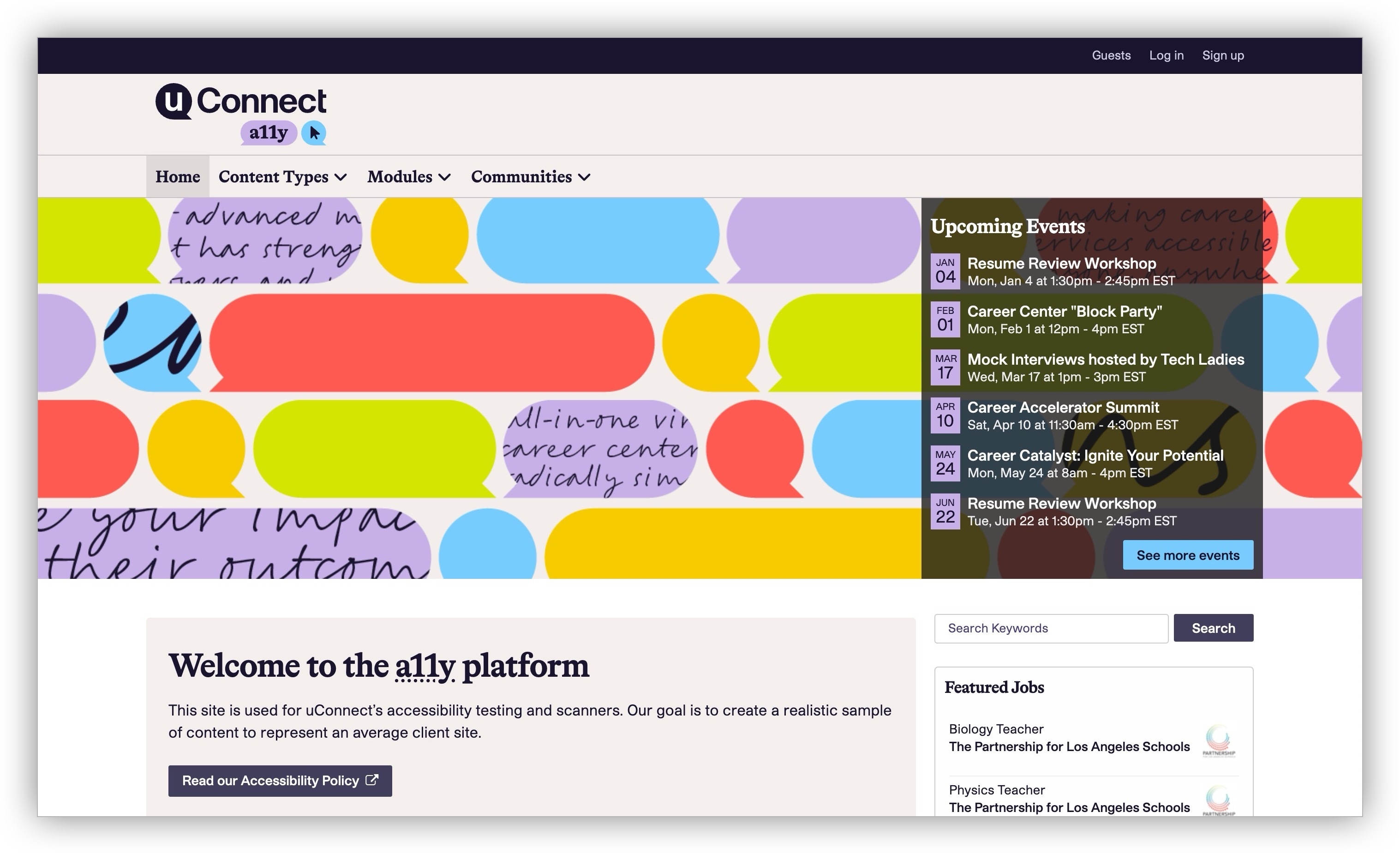
Newer clients only have the option to add a single banner to this area. Older clients still have the option to add multiple slides, which creates a sliding carousel. However, we encourage the use of just 1 banner for the homepage hero banner and have a prominent in-app warning that is displayed when adding or editing additional banners.
Because the carousel is no longer supported for new clients, accessibility enhancements will not be made to this feature. However, we made accessibility, visual, and responsive design enhancements when only a single banner is displayed.
What should I do if I receive an accessibility report about my homepage banner or carousel?
If you are using a banner, ensure that you have entered alt text for the image if it's not used in a decorative way. Purely decorative or atmospheric images do not require alt text. However, if your banner image contains text, repeat that text in the alt text field so visitors using assistive technology can access it. Note: if you use the banner's text overlay boxes, do not repeat that overlaid text in the alt text field, as it will be read twice by screen readers.
If you are using multiple banners in a carousel, we recommend removing Banner 2, Banner 3, and/or Banner 4 so that only a single banner remains. This resolves the most common carousel-related accessibility issues.
Learn more about editing your homepage banners: Add a front page banner
Why is the carousel no longer supported?
During our WCAG 2.1 AA upgrade, we performed significant research on carousels. We discovered that in many cases, carousels were both inaccessible and ineffective. Should I use a carousel? provides a great overview of these issues, including how interaction statistics from Notre Dame University (not a uConnect platform) revealed that "1% clicked a feature. Of those, 89% were on the item in the first position.” That’s just 1% of clicks for the most significant object on the home page!
A review of uConnect client sites identified additional common problems, including:
- Text-heavy banner images without alt text, making content invisible to screen readers
- "Carousel dots" (slide navigation indicators) overlapping page content on mobile devices when banners were optimized for desktop only
To solve for these and other issues, we’ve turned off the carousel functionality and use a single banner instead for all new VCC instances, which is better optimized for accessibility and the mobile experience. We also added a few thoughtful styles to make added-text content more readable on mobile.
For existing sites, we didn't want to suddenly remove functionality that our clients were actively using. Multi-banner carousels can still be used, but we added an in-app warning about the accessibility considerations when clients edit their banners.
Being able to recognize and address a potential problem spot like this instead of waiting on an accessibility report is a huge win for our clients, and being warned rather than suddenly blocked means that clients can adjust their content strategy on their own timelines.