
To remove a class from your platform, trash it. Trashing a class removes it from the front end and from the All, Published, and Draft sections of your Classes dashboard, and moves it to the Trash folder.
To trash a class, follow these steps:
Navigate to Publish > Classes
Find the class you'd like to remove
Hover over it and select the Trash option
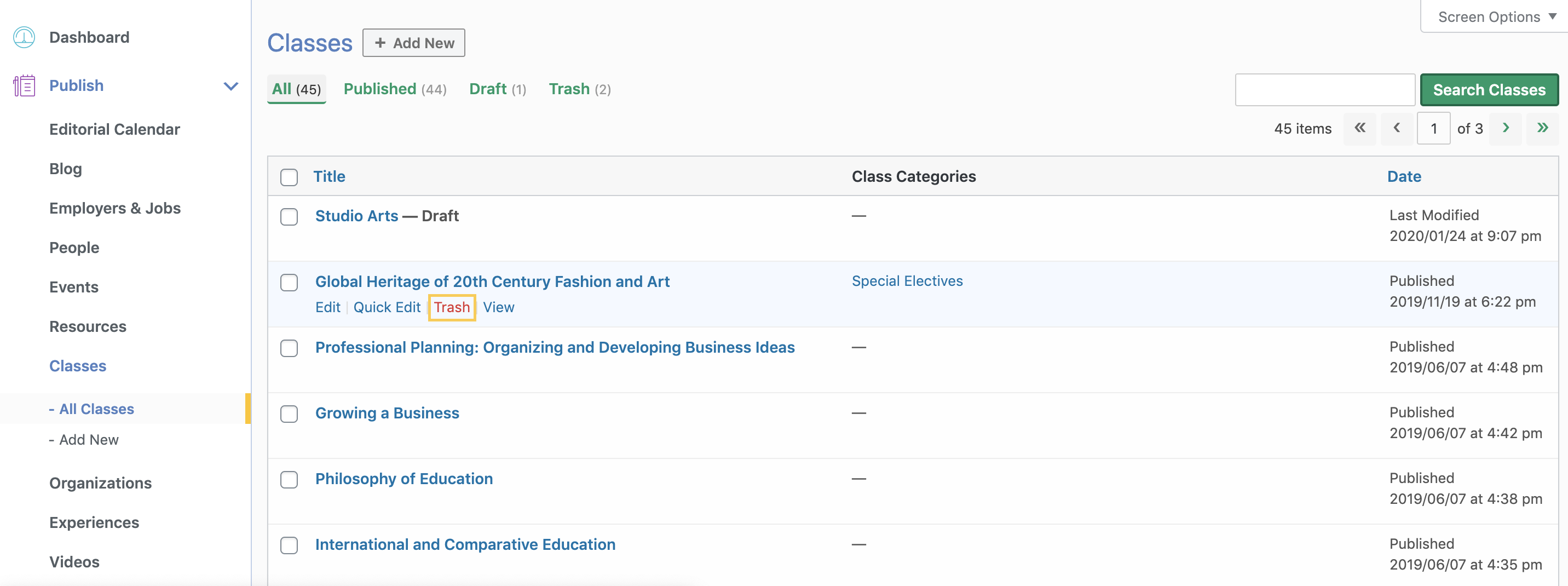
Note: You can view your trashed class in the 'Trash' folder and restore it if it was deleted accidentally.