
You can export a complete list of your uConnect platform's resources — including both published articles and saved drafts — to monitor your resource library and drive consistent content engagement. This export is available directly from the Resources section of your backend.
To complete this export, follow the steps below:
Navigate to Publish > Resources.
Scroll down to the bottom of the page, and select the “Export Resources” option
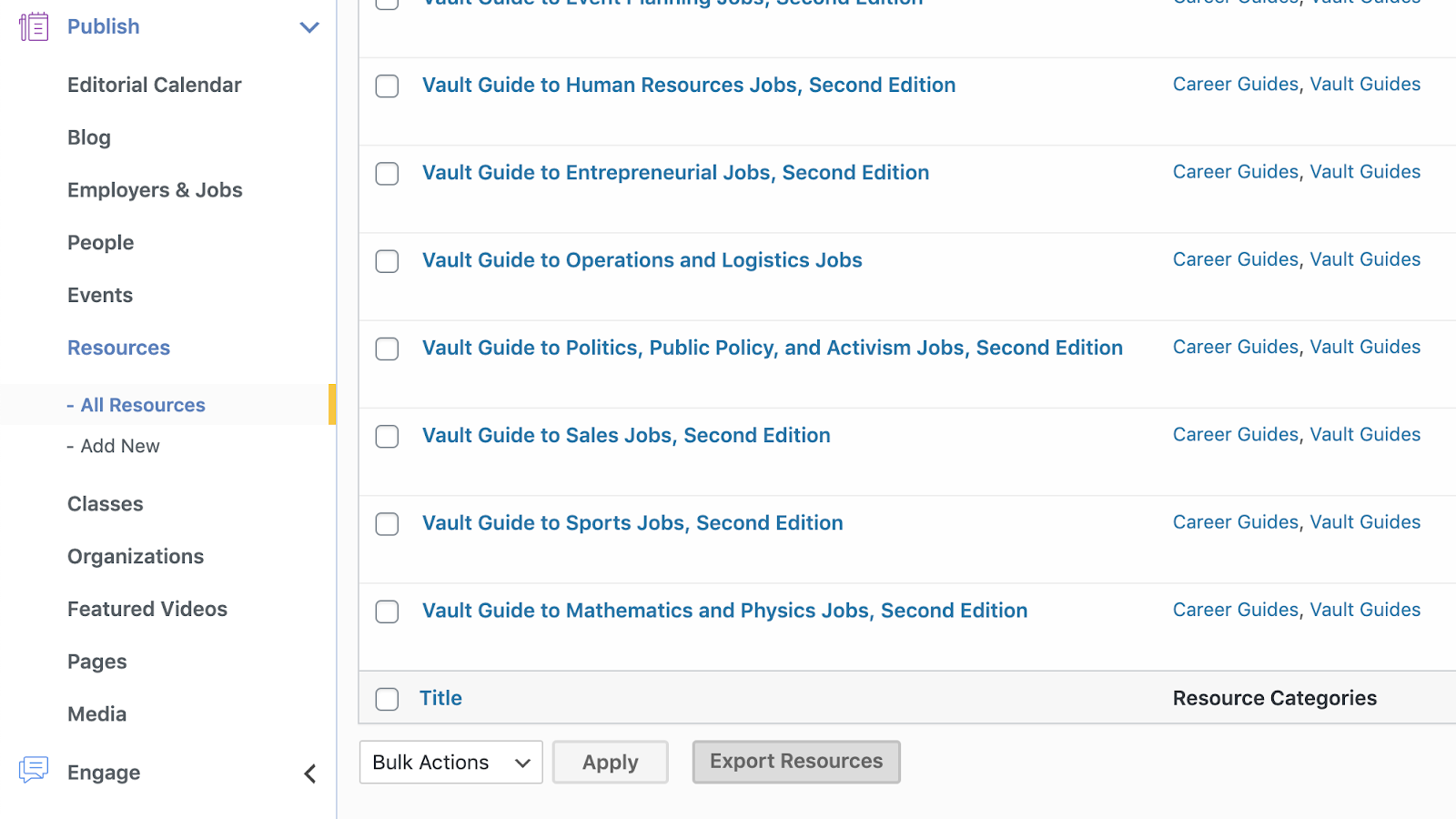
Once your resources have been exported as a .csv file, it will include the following fields:
- Resource title
- Author
- Status (Published or Draft)
- Date of publication
- Associated categories and communities
Please submit a support request with any questions on exporting your resources!