
To alert students and your broader campus community of updates to career center hours, classes, and other valuable announcements, add a yellow alert/announcement banner to the top of your platform!
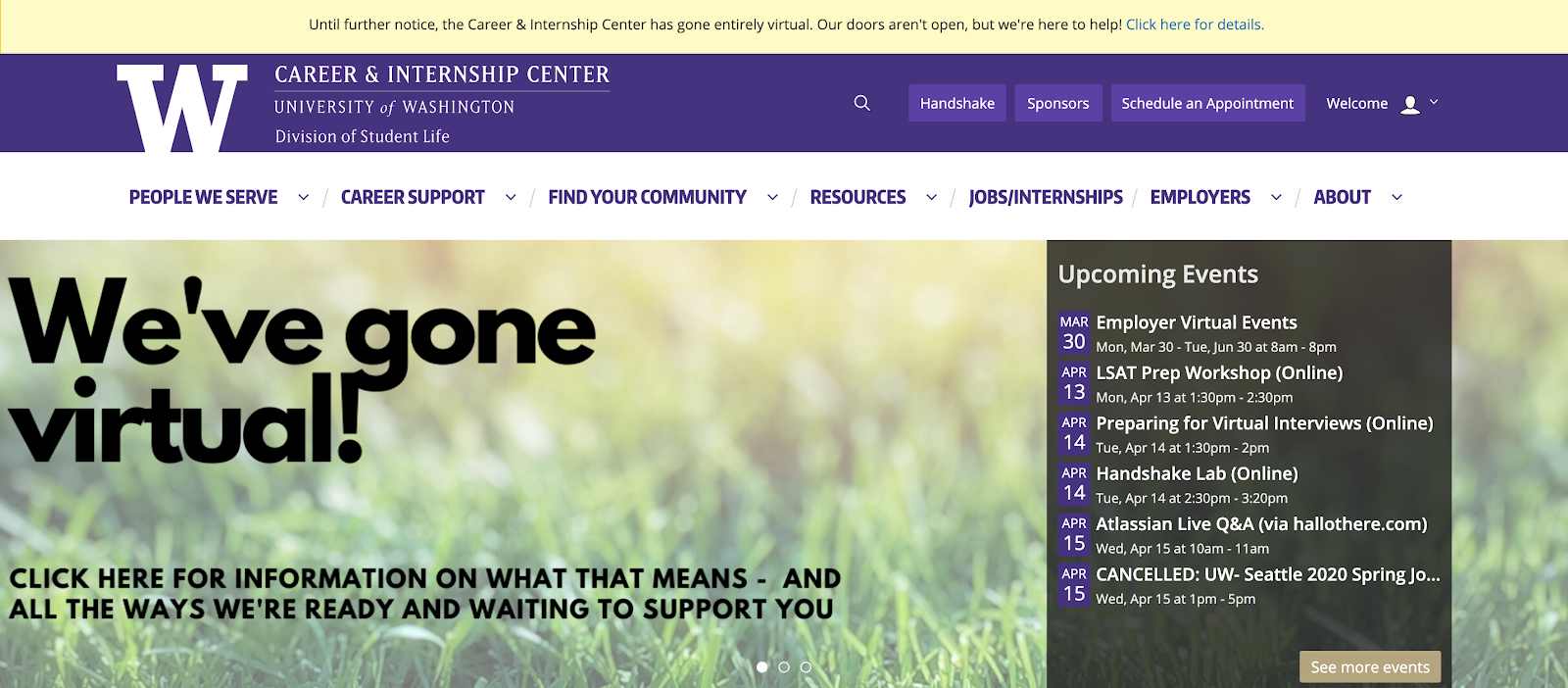
Alert banners are visible from any page in your platform, allowing relevant news to always remain front and center for your audience. The University of Washington added an alert banner to notify students that their Career and Internship Center moved virtually:
To add an alert banner, follow the steps below:
-
Log into the backend of your uConnect platform, and select “Customize” from the left hand side menu
-
Click on “Settings” and then "General"
-
Insert any text you’d like to appear in your banner to the “Alert/Announcement” text box
-
Make sure to save your changes by selecting the “Save Changes” button at the top of the page
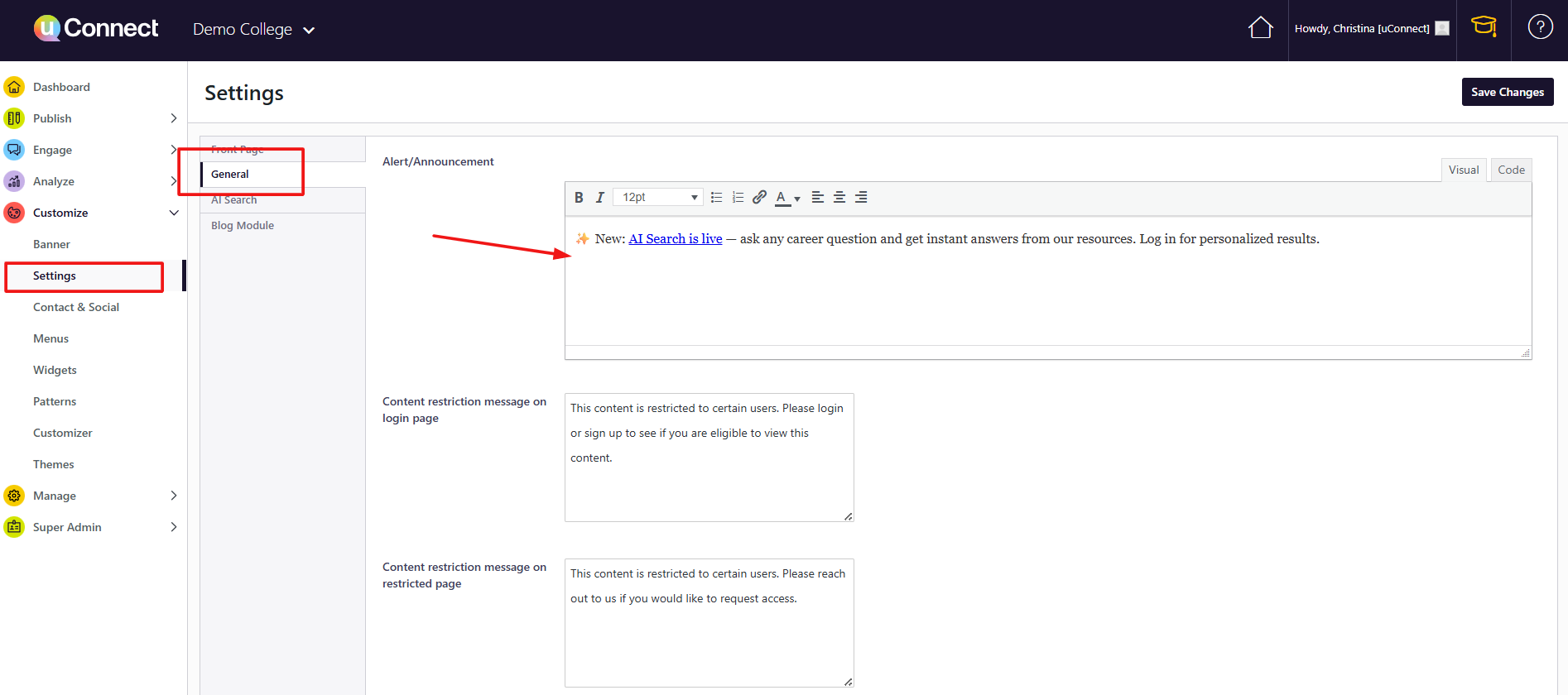
To remove an alert banner, just remove all of the text from that Alert/Announcement text box and click "Save Changes."
AI Search Alert: If you want to make it easier for your users to engage with AI Search, add it in your Alert Announcement banner! Here is some text copy you can use below, and if you want to create you own, just use the phrase "#launch-ai-search" so that when a user clicks on it, AI Search will automatically open up!
"✨ New: AI Search is live — ask any career question and get instant answers from our resources. Log in for personalized results."
Please submit a support request with any questions on managing your alert banner.