🕒 Estimated Reading Time: 1 minute
How do I reset my password?
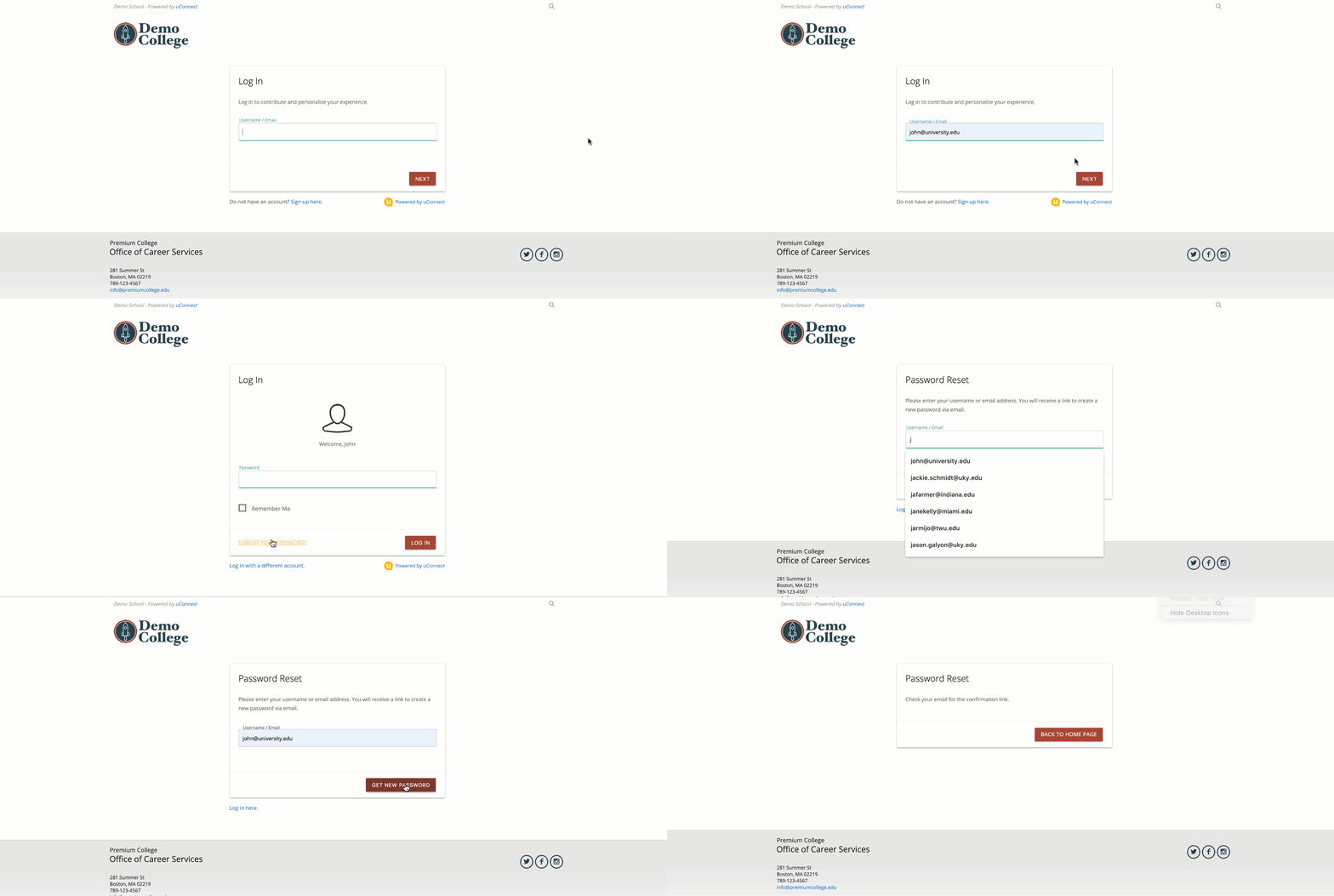
To reset your password, click Forgot Password on the login screen, then follow the reset link sent to your email to create a new password.
Go to the login screen
Enter your email or username
Click Forgot Password
Check your email for a reset link
Open the email and click the link
Follow the instructions to create a new password
Tip: Check your spam or junk folder if you don’t see the email.