🕒 Estimated Reading Time: 1 minute
To access your uConnect dashboard, click Log In on the homepage, enter your credentials, and you will be taken to the dashboard automatically. If you are already logged in, hover over your name and select Admin Dashboard.
How do I sign in to access the uConnect dashboard?If you're an admin or staff member trying to access your uConnect dashboard, follow the steps below:
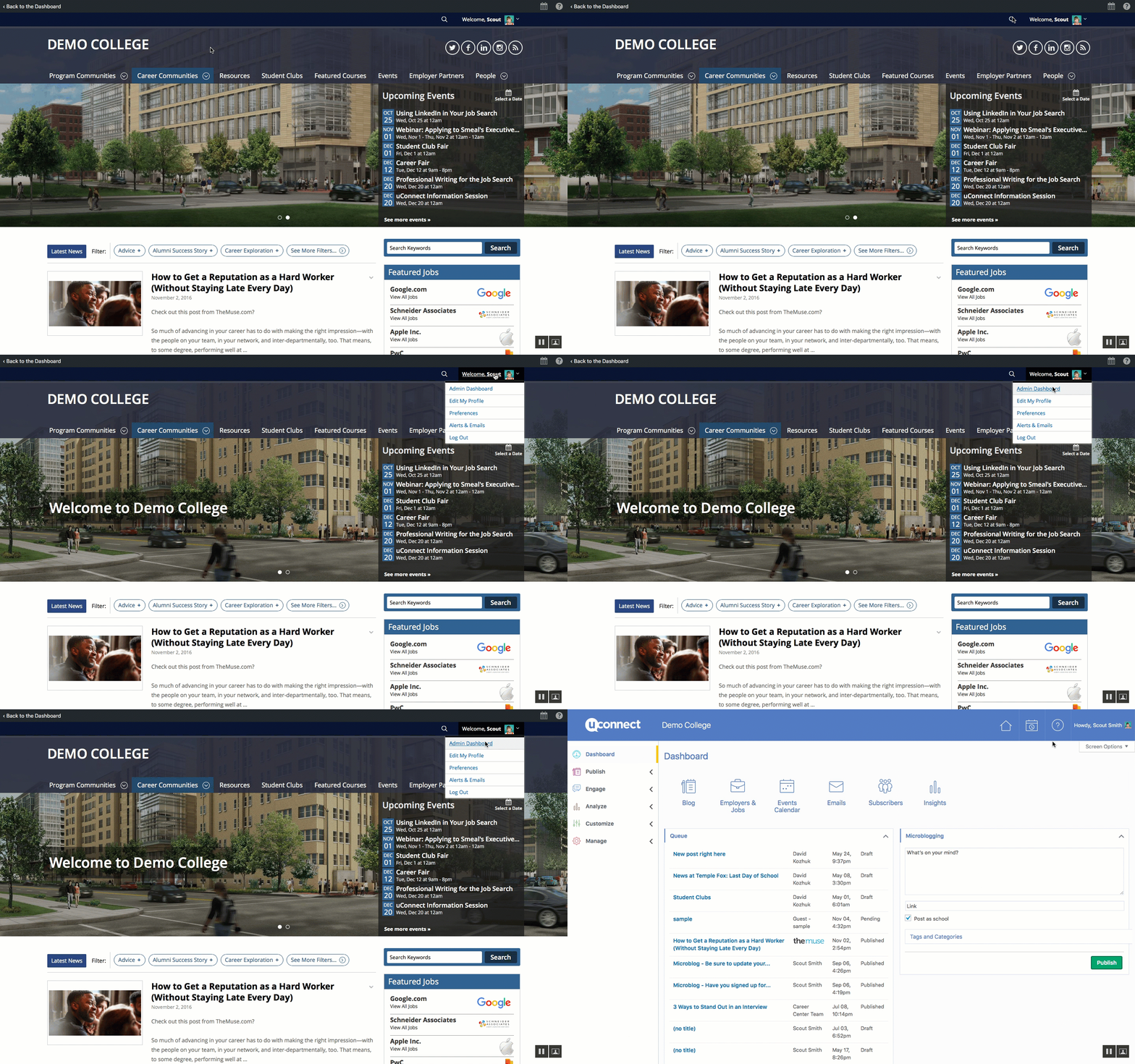
- Click Log In in the top-right corner of the homepage.
- Enter your username and password. If you have forgotten your password, click Forgot Password? on the login page to reset it via email. If you cannot reset your password, contact your administrator for assistance.
- Click Remember Me to avoid entering your username and password each time you log in.
Click on the "Log In" button on the top-right corner of the homepage.
Enter your username and password.
Click "Remember Me" to avoid needing to do this in the future.
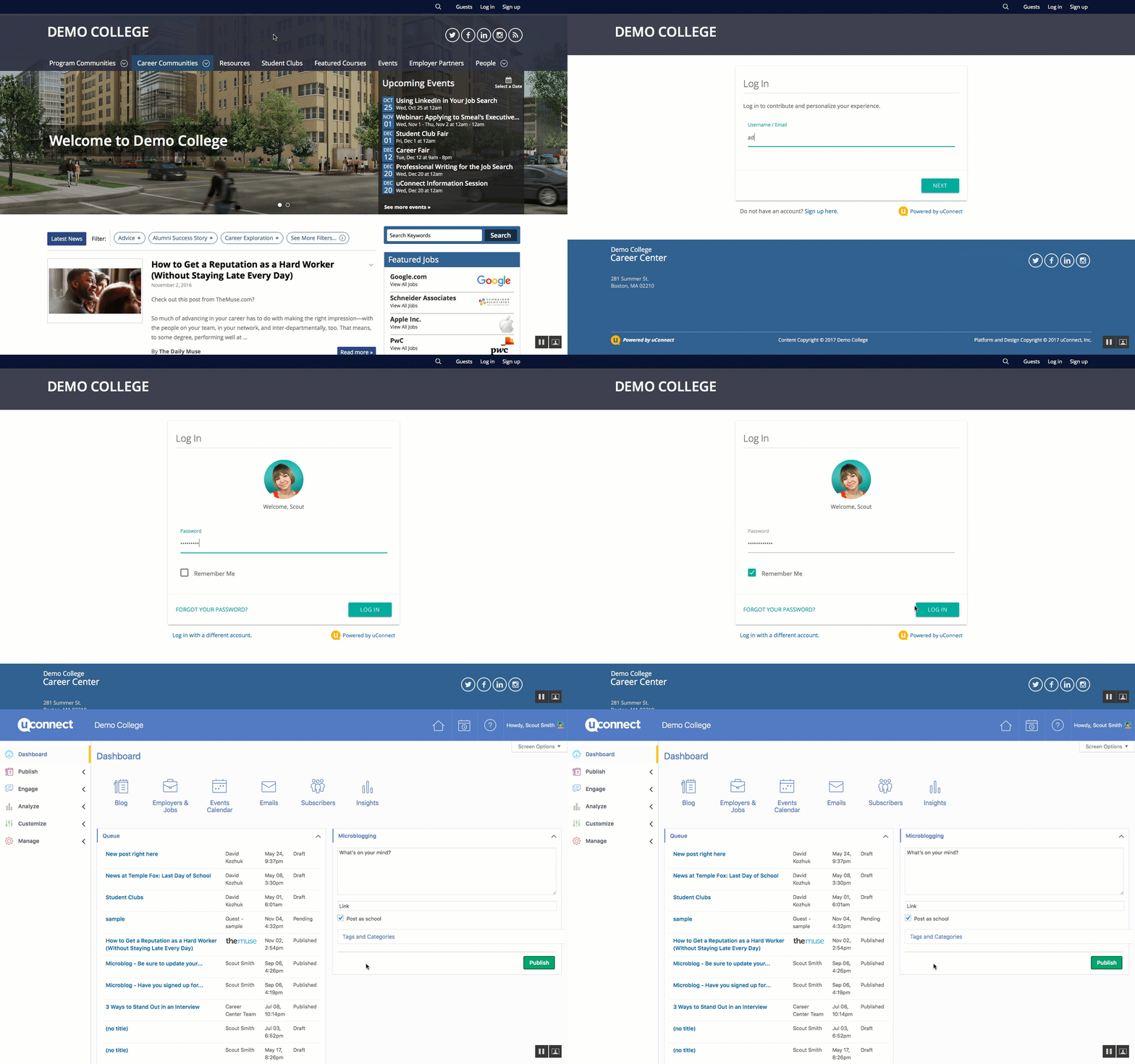
How do I navigate to the dashboard if I am already logged in?
If you're already logged in but aren't sure how to access the dashboard, simply hover over your name and select "Admin Dashboard."