
You can now display tags on event landing pages to help visitors quickly understand what each event is about. The displayed tags include event categories, communities, resource categories, and any other community tags configured in your uConnect platform. Audience tags are the only exception — they will not be displayed.
Displaying tags on your events can help increase RSVPs and attract a wider range of attendees. Visitors can quickly see which communities and categories are associated with an event, helping them determine whether it is relevant to them. This makes your content more discoverable and encourages engagement across your different audiences — including students, employers, alumni, parents, prospective students, faculty, and community experts.
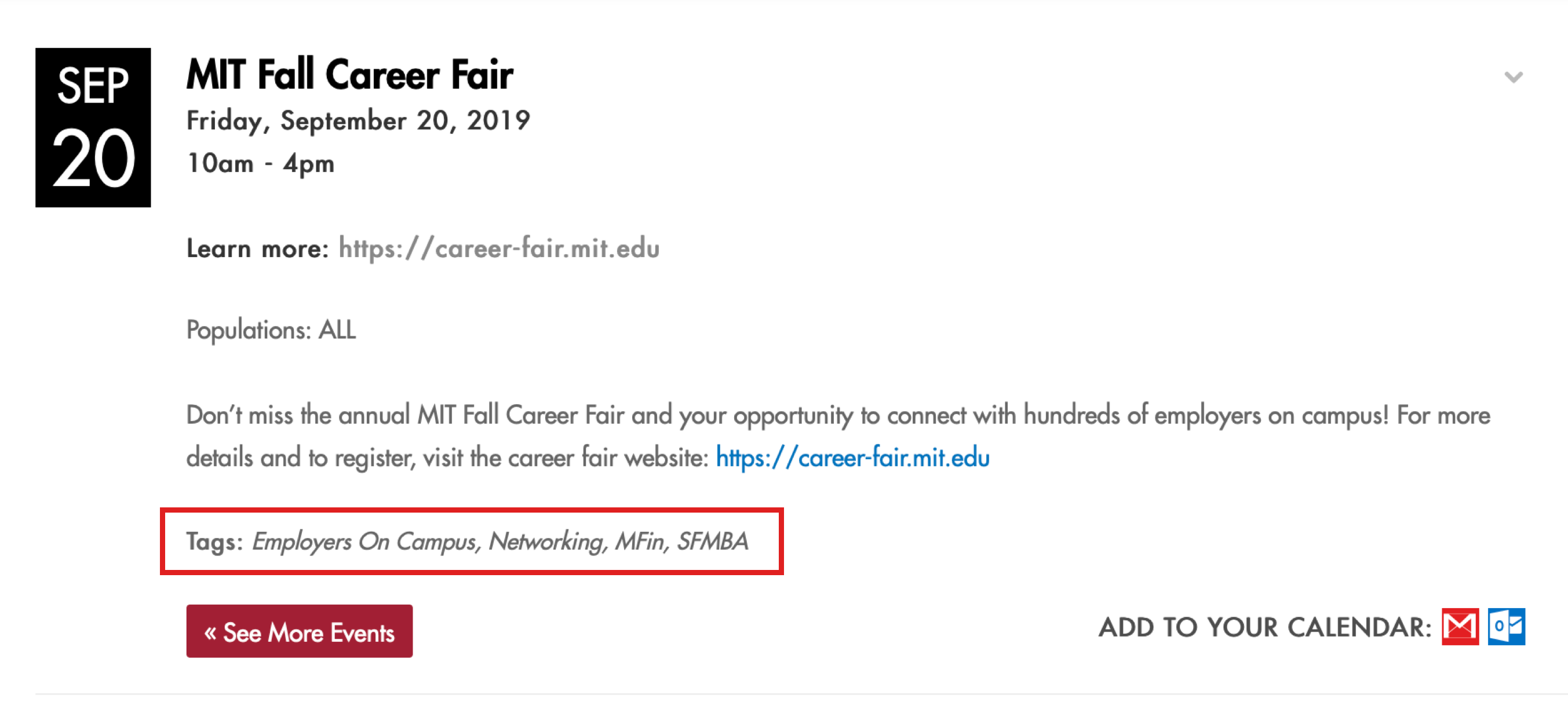
The screenshot below shows how tags appear on an event landing page. Tags may include industry communities, resource categories, event categories, and any other community configured in your uConnect platform.
To enable event tags on your platform, please submit a support request.